When the time comes to link a particular individual within your family tree or collaborate with them on important tasks, you certainly do not want to run into any issues. However, if you have not chosen to grant access to contacts for Family Tree Maker 2024, you are likely to encounter such problems, which can easily lead to confusion and complications later on.
That is why it is important to do so, as it helps the software connect with your system’s contact data, link individuals, support collaboration, and maintain accurate family records. In this guide, we will explain why it is important to grant access to contacts, discuss the correct way to do so, and cover much more. Keep reading to know more.
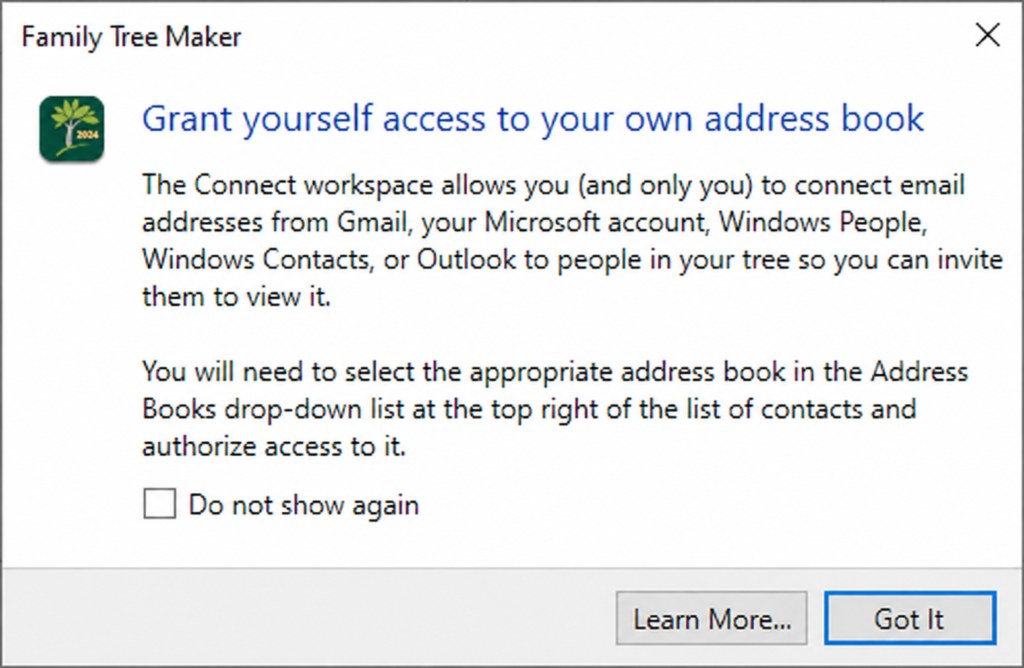
How To Grant Access to Contacts for Family Tree Maker 2024 (Windows)
To grant access to contacts for Family Tree Maker 2024, follow the steps below in the same order. Go through all of them one by one.
- Click on the start menu and open settings
- Now click on Privacy and Security from the left panel
- Now scroll down and select Contact under App Permissions
- Now enable the contact access:-
a. Turn on
b. Allow apps to access your contacts - Enable the access for FTM 2024 (if listed)
- Now close and reopen the application to apply for the changes
Why Does Family Tree Maker 2024 Need Access To Contacts?
As a Family Tree Maker user , you must be well aware of why it is so important to have Family Tree Maker contact access. Well, to answer this, here are some points below that will provide a better brief on the same. So go through all of them before doing it.
- It helps in syncing contact information with your family tree records.
- Minimizes the need for manual typing.
- Helps the users in finding the duplicate entries in your tree.
- Let the users share family information with relatives.
- Support faster updates when there is a change in contact details.
- Improve collaboration when multiple users are working on the same tree.
- Helps in organizing a large family tree very efficiently.
- Users can build connections between different branches of the family.
- Helps in making the overall genealogy research process more accurate and structured.
Common Issues Related To Granting Full Access To Contact
Here are some common issues you might face after granting FTM 2024 contact permissions. Here are some of them:
- FTM 2024 is not appearing in contact permissions.
- Changes are not getting saved.
- The contacts option is totally missing in the window settings.
- The app is unable to access the contact even after granting permission.
- Windows has blocked the access automatically.
- The outdated FTm 2024 version is in use.
- User account restrictions.
Contact Permission Troubleshooting: Effective Ways Of Resolving Issues
If you are facing the above given issues, you can resolve them with the following ways:-
- Users can restart the application and PC.
- Re-enable the contact permission.
- Do run FTM 2024 as administrator.
- Update the windows and FTM 2024.
- Do check antivirus or security software.
- Look for reinstalling the application.
- Do check the user account permission.
- Sign out and sign back in.
Conclusion!
You will gain various benefits when you grant access to contacts in Family Tree Maker 2024, such as improved accuracy, streamlined data management, and reduced manual entry. If you are encountering permission errors or access issues, you can resolve them with basic troubleshooting steps.
However, If you’re having trouble transferring Family Tree Maker to a new Windows 11 computer, our Family Tree Maker specialists can help with installation, backup restoration, media recovery, and Ancestry synchronization.
📞 Call Family Tree Maker Support: +1-888-427-8070
💬 Live Chat with a Family Tree Maker Expert
Frequently Asked Questions!
If you do so, some features will not work, such as importing contacts, linking individuals, and improving data accuracy.
Yes, it is possible to turn off your contact access at any time in Windows Privacy and Security settings.
No, there is no need for that as contact access, as it can be easily controlled locally throughout window settings.
It can happen due to installation issues, outdated software, or Windows not detecting the application properly.